Joe Wilson
Head of Design and Product Manager at Marmoset
Tutorial: Cut holes into cylinders
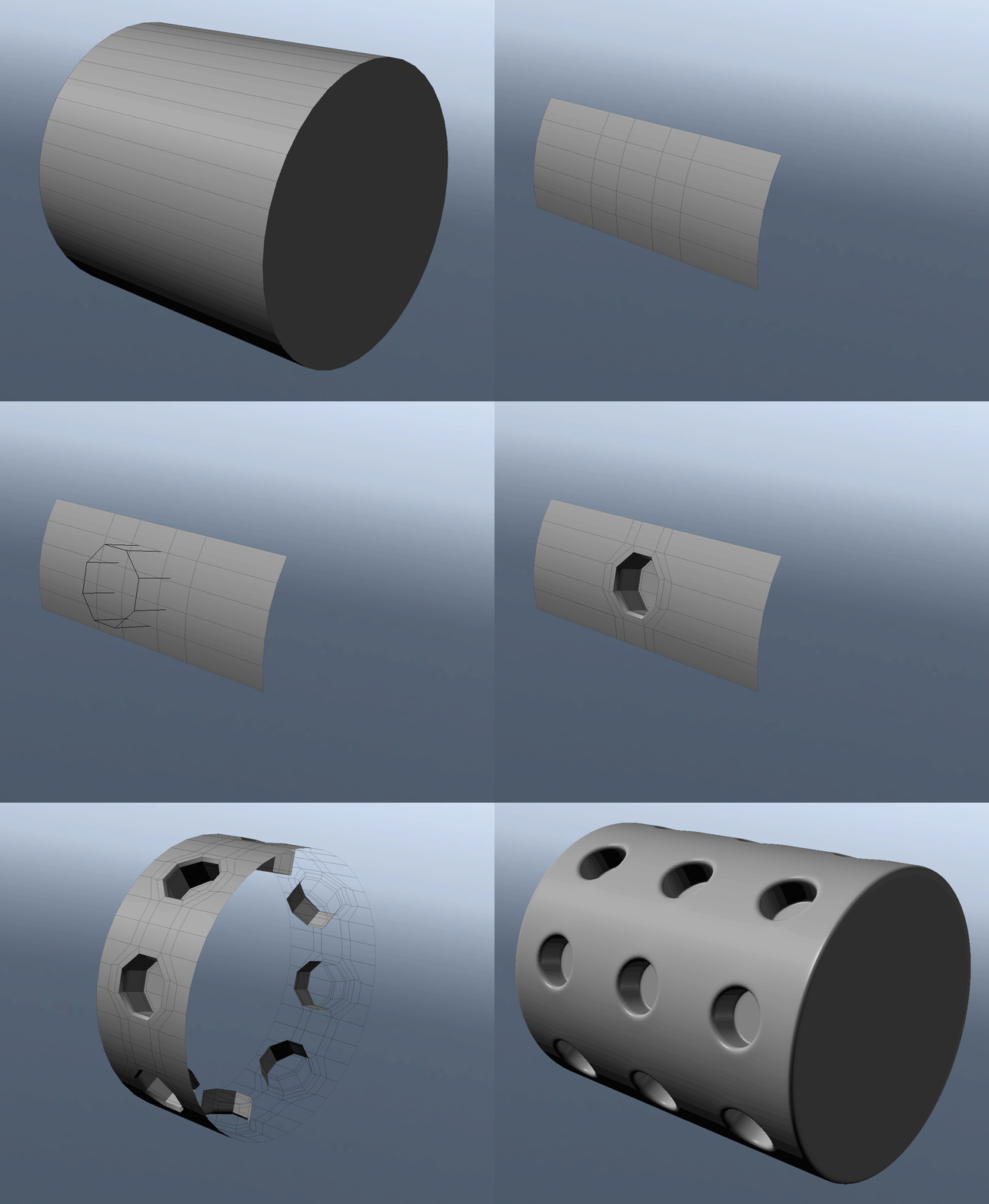
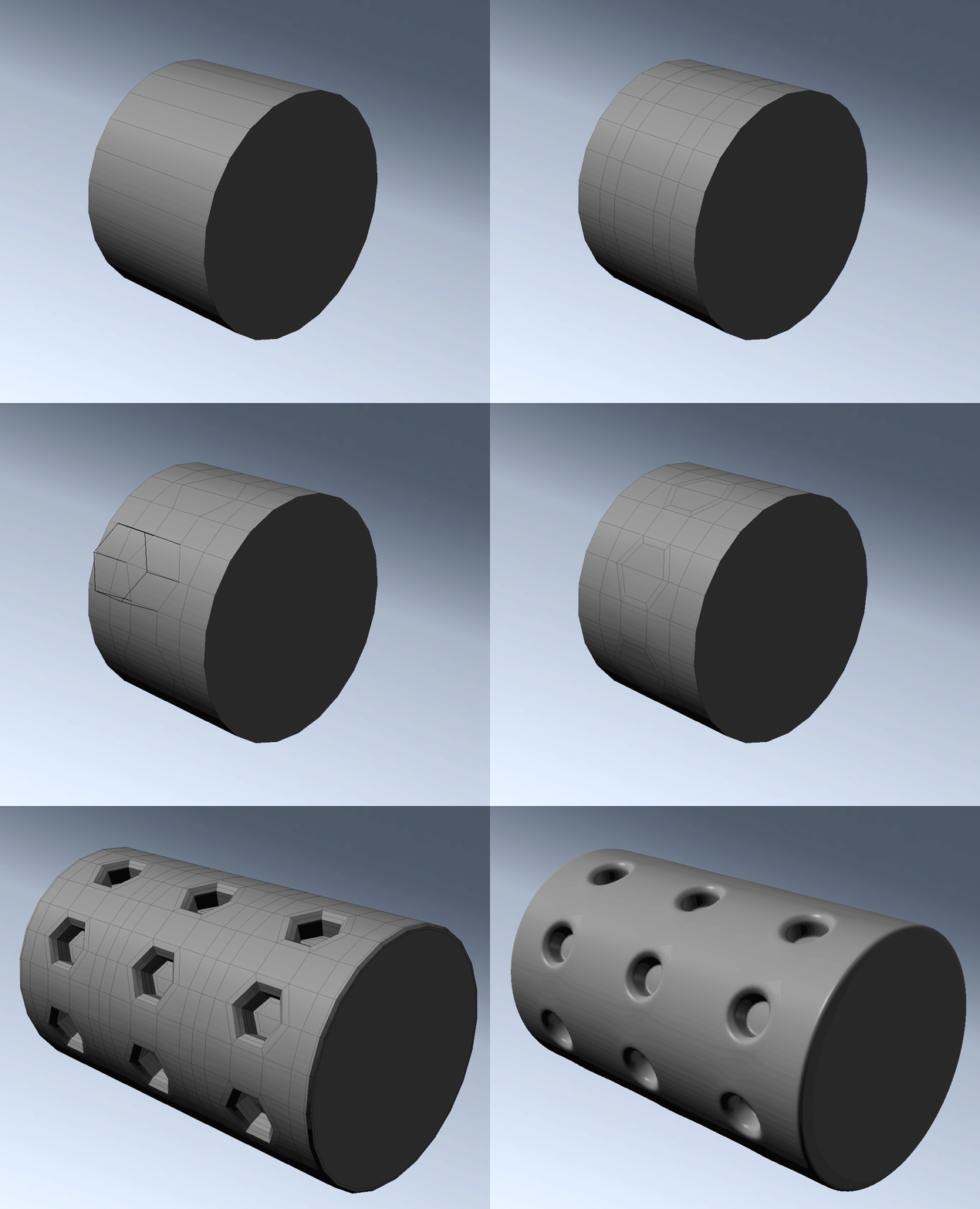
A few gifs showing some simple ways to cut holes into cylinders for clean sub-d modeling.
Some tips:
It's generally best to have two spacing faces between the hole faces to keep the smoothing clean. You can adjust the size of the holes vs spacing by thinking of the ratio, for instance, 4 hole faces vs 2 spacing faces will give you holes twice as big as the spacing. You can then figure out how many sides you want hole + spacing faces * number of holes, so 4+2 * 8 = 48 sides.
For smaller assets where minor shading errors aren't a big deal, you can use 1 spacing face as well.
Final shot rendered in Marmoset Toolbag of course. Http://www.marmoset.co/toolbag